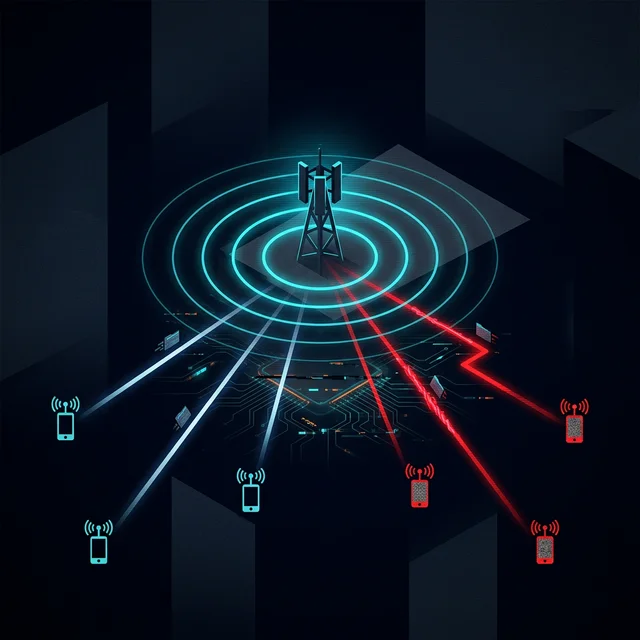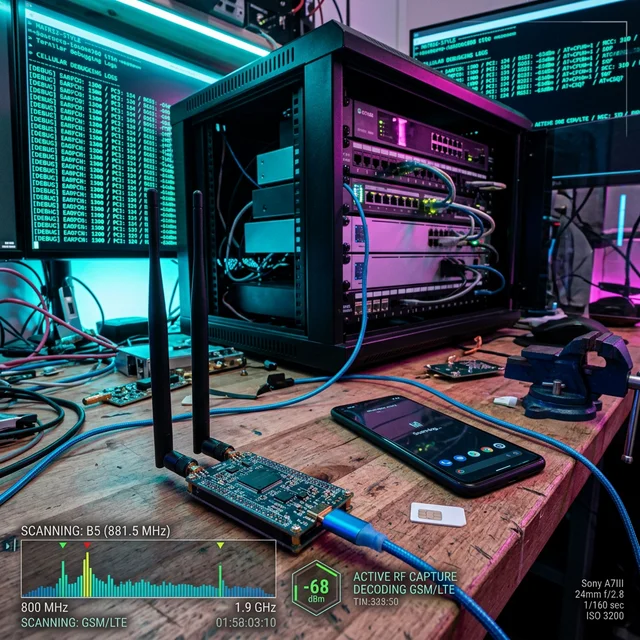
Getting hands-on experience in telecommunications security is notoriously difficult. Unlike web application hacking, where environments can be spun up in Docker with a single command, cellular protocols operate in licensed spectrum and require specialized hardware. The barrier to entry — regulatory compliance, expensive SDR hardware, and arcane protocol knowledge — has historically limited telecom security research to well-funded nation-state programs and a handful of academic groups.
That barrier is falling. Open-source 5G implementations, affordable software-defined radios, and containerized core networks have democratized access to cellular security research infrastructure. A functional 4G/5G test environment can now be built for under $2,000, enabling independent researchers to study everything from SS7 vulnerabilities interception to baseband exploitation in smartphones without touching a single production network.
This guide provides a comprehensive, step-by-step methodology for building a research-grade private LTE and 5G SA lab — from hardware procurement and RF shielding through core network deployment, SIM provisioning, and security research applications.
Legal Compliance Warning
Operating cellular equipment in licensed spectrum without a license is illegal in virtually all jurisdictions. A Faraday cage or RF-shielded enclosure is mandatory to prevent signal leakage and avoid interference with commercial networks. Violation can result in significant fines and criminal prosecution from spectrum regulators (FCC in the US, Ofcom in the UK, ARCEP in France). Always verify your local regulations before transmitting.
BLUEPRINT: 5G Lab Hardware BOM
Download the complete Bill of Materials and wiring diagrams for a production-grade 5G SA research lab (PDF).
In this guide, we will walk through setting up a basic 5G Standalone (SA) and 4G LTE lab using accessible Software-Defined Radios (SDRs) and open-source core network implementations. For context on the protocols and network functions deployed here, refer to our 5G SBA vulnerabilities research and Diameter security analysis.
I. Hardware Requirements
Building a lab requires balancing cost against capability. The following sections detail the three critical hardware components: radio hardware, compute infrastructure, and user equipment.
1. The Software-Defined Radio (SDR)
The SDR acts as your Base Station (eNodeB for 4G, gNodeB for 5G). SDR selection is the single most consequential hardware decision — it determines which protocols you can run, signal stability, and maximum bandwidth.
| SDR | Price Range | Full Duplex | Max Bandwidth | LTE Support | 5G NR Support | Recommendation |
|---|---|---|---|---|---|---|
| RTL-SDR v3 | $25-35 | No (RX only) | 2.4 MHz | Sniffing only | No | Passive monitoring only |
| HackRF One | $300-350 | No (half-duplex) | 20 MHz | Unstable | No | 2G/3G research |
| bladeRF 2.0 micro | $480-750 | Yes | 56 MHz | Good | Basic NSA | Budget active lab |
| USRP B210 | $800-1,200 | Yes | 56 MHz | Excellent | SA & NSA | Recommended standard |
| USRP X310 | $4,000-6,000 | Yes | 160 MHz | Excellent | Full SA | Professional/multi-cell |
SDR Selection Guidance
For serious security research — especially baseband exploitation in smartphones and protocol analysis — the USRP B210 is the minimum viable platform. It provides the stable full-duplex operation required by LTE and 5G timing requirements, while remaining affordable for independent researchers.
Antennas: Match your antennas to your target frequencies. Common research bands:
- LTE Band 7 (2.6 GHz): Widely used in European deployments
- LTE Band 3 (1.8 GHz): Global mid-band coverage
- 5G n78 (3.5 GHz): Primary 5G NR mid-band globally
- 5G n77 (3.3-4.2 GHz): Extended C-band range
2. The Compute Node
You need a dedicated machine to run the Core Network and the RAN software simultaneously. Virtualization adds latency that disrupts real-time radio processing, so bare-metal is preferred for the RAN component.
Minimum Specifications
| Component | LTE-Only Lab | 5G SA Lab | Multi-Cell Lab |
|---|---|---|---|
| CPU | 4 cores, 3.0 GHz | 8 cores, 3.5 GHz | 16 cores, 3.5 GHz |
| RAM | 8 GB | 16 GB | 32 GB |
| Storage | 50 GB SSD | 100 GB NVMe | 500 GB NVMe |
| USB | USB 3.0 (essential) | USB 3.0 | USB 3.0 + 10GbE |
| OS | Ubuntu 22.04 LTS | Ubuntu 22.04/24.04 LTS | Ubuntu 24.04 LTS |
| Kernel | Default | Low-latency kernel | Real-time kernel |
Critical: USB 3.0 is non-negotiable. USB 2.0 cannot sustain the data rates required by the USRP B210 (>30 MB/s continuous), causing sample drops that crash the RAN stack.
3. RF Shielding
Before any transmission, you must contain your signal. Options range from DIY to professional:
- Budget (~$200-500): A small Faraday tent or repurposed RF-shielded box (e.g., Ramsey STE-2300). Sufficient for single-cell labs with output power <0 dBm.
- Standard (~$1,000-3,000): Professional RF shielded enclosure with >80 dB attenuation. Suitable for multi-cell configurations and higher power research.
- Professional (~$10,000+): Walk-in anechoic chamber with >100 dB attenuation. Required for calibrated measurements and emissions testing.
Always validate your shielding effectiveness with a spectrum analyzer before transmitting. Even minor shield leakage at commercial cellular frequencies can trigger regulatory enforcement.
4. User Equipment (UE)
You need devices to connect to your private network and tools to provision them.
- Rooted Android Phones: A rooted Google Pixel or OnePlus device is ideal. Root access is required to lock the phone to specific bands, read baseband research (using tools like MobileInsight or SCAT), and change network APNs.
- Commercial 5G Modules: Quectel RM500Q or Sierra Wireless EM9191 provide industrial-grade 5G SA connectivity with AT command access for scripted testing.
- Programmable SIM Cards: Standard carrier SIMs are locked with secret keys. You must purchase programmable sysmoISIM-SJA5 cards (or similar blank SIMs) and a PC/SC-compliant smart card reader/writer.
- SIM Programming Tools:
pySim-shell(from the Osmocom project) is the standard open-source tool for ISIM provisioning.
II. Software Stack Selection
The open-source telecom ecosystem is robust. The following table compares the major options:
Core Network Comparison
| Feature | Open5GS | free5GC | MagmaCore | OpenAirInterface (OAI) |
|---|---|---|---|---|
| Language | C | Go | Python/C++ | C |
| 4G EPC | ✅ Full | ❌ | ✅ Full | ✅ Full |
| 5G Core | ✅ Full | ✅ Full | ✅ Partial | ✅ Full |
| Web UI | ✅ Subscriber Mgmt | ❌ | ✅ Orchestrator | ❌ |
| Kubernetes | ✅ Helm charts | ✅ Native | ✅ Native | ✅ Basic |
| Documentation | Excellent | Good | Good | Technical |
| Best For | Security research | Cloud-native research | Edge/private nets | Standards compliance |
RAN Software Comparison
| Feature | srsRAN 4G | srsRAN Project (5G) | OAI RAN |
|---|---|---|---|
| LTE | ✅ Full eNB + UE | ✅ Via 4G module | ✅ Full |
| 5G NSA | ✅ | ✅ | ✅ |
| 5G SA | ❌ | ✅ Full gNB | ✅ Full |
| USRP Support | ✅ Native | ✅ Native | ✅ Native |
| ZMQ (Virtual) | ✅ | ✅ | ✅ |
| Best For | LTE research | 5G SA security | Standards research |
> Core Network (Open5GS)
Written in C, highly performant, supports both 4G EPC and 5G Core SBA, and has an intuitive web UI for subscriber management. Widely adopted in the security research community with extensive documentation and active maintainer support.
> Radio Access Network (srsRAN)
The premier open-source RAN implementation. It supports 4G, 5G NSA, and 5G SA and connects natively with USRP hardware. The ZMQ virtual radio driver enables software-only testing without any SDR hardware — ideal for initial protocol fuzzing.
III. Step-by-Step Implementation
Step 1: Prepare the Host System
Configure your Ubuntu host for real-time radio processing:
Step 2: Program your SIM Cards
Before broadcasting, you need SIM cards provisioned with known cryptographic keys that match your core network configuration.
- Insert the blank sysmoISIM-SJA5 into your PC/SC reader
- Use
pySim-shellfrom the Osmocom project - Program the following critical values:
# Install pySim
pip3 install pysim

  # Program a test SIM card
pySim-shell
> select MF
> select ADF.USIM

  # Write IMSI (test PLMN 00101 is the standard for research networks)
> update_binary EF.IMSI 001010123456789

  # Write Ki (128-bit authentication key — KEEP SECRET)
> update_binary EF.Ki 00112233445566778899aabbccddeeff

  # Write OPc (derived from operator's master OP key)
> update_binary EF.OPc aabbccddeeff00112233445566778899

  # Verify the programmed values
> read_binary EF.IMSI
Key Management
The Ki and OPc are the root cryptographic secrets for subscriber authentication. In a production network, compromise of these keys enables SIM cloning and complete identity takeover. In your lab, document these values securely — you'll need them when registering the subscriber in Open5GS.
Step 3: Deploy Open5GS
Open5GS can be easily installed via package managers on Ubuntu:
Configure the core:
- Access the Web UI at
http://localhost:9999 - Add a new subscriber using the exact IMSI, Ki, and OPc values programmed onto the SIM
- Configure the APN to
internetwith an IPv4 pool (e.g.,10.45.0.0/16) - For 5G SA: Configure the S-NSSAI (SST: 1, SD: optional) matching your slice configuration
Step 4: Configure and Run srsRAN
For 5G SA, use the srsRAN Project gNB:
Step 5: The Connection
Start the stack in the correct order:
Insert your programmed SIM into your Android device and search for networks. On the device, you may need to manually select the 00101 network or lock to Band n78 using engineering mode. Watch the srsRAN terminal output: you should see the UE send an RRC Setup Request, perform 5G-AKA mutual authentication with the AMF/AUSF, and establish a PDU session. Once active, the UE will receive an IP from your configured pool and have internet access through your lab.
IV. Security Research Applications
Once your lab is stable, the real work begins. You own the infrastructure end-to-end, allowing you to execute research scenarios that would be illegal or impossible on production networks.
1. Protocol Analysis and Traffic Capture
Run Wireshark on the compute node to capture and decrypt signaling traffic:
2. Core Network Fuzzing
Write Python scripts to modify authentication vectors or send malformed NAS packets directly into the Open5GS AMF to look for crashes. Key fuzzing targets:
- NAS Registration Messages: Malformed SUCI, invalid NSSAI, oversized PDU session requests
- NGAP Procedures: Invalid UE context IDs, malformed handover commands
- HTTP/2 SBA APIs: BOLA attacks, mass assignment against the NRF, UDM, and AUSF
- PFCP Session Management: Invalid TEID values, session modification overflows
3. RAN and Baseband Research
Intercept the downlink traffic from srsRAN and modify the ASN.1 encoded messages to trigger buffer overflows in the smartphone's baseband processor:
- RRC Fuzzing: Modify SystemInformationBlock messages to include deeply nested ASN.1 structures
- NAS Pre-Auth Fuzzing: Send malformed messages before mutual authentication completes — the baseband must process these without protection
- Paging Channel Analysis: Test IMSI catchers scenarios by broadcasting paging messages for specific IMSIs
- Downgrade Attacks: Force UEs to fall back from 5G to 4G/3G/2G by manipulating RRC release messages
4. Slice Security Testing
Configure multiple S-NSSAI entries in Open5GS and test 5G network slicing security:
- Register UEs to different slices and attempt cross-slice data access
- Test NSSAI spoofing by modifying the requested NSSAI in the NAS Registration Request
- Verify that QoS isolation holds under load (one slice should not impact another's throughput)
V. Troubleshooting Guide
| Symptom | Likely Cause | Solution |
|---|---|---|
| "No UHD devices found" | USB 2.0 port or missing UHD driver | Install uhd-host, use USB 3.0, run uhd_find_devices |
| Sample rate errors / "O" overflows | CPU too slow or frequency scaling | Install low-latency kernel, set cpupower performance |
| UE shows "No Service" | PLMN mismatch or wrong band | Verify 00101 in both gNB config and SIM, check antenna frequency |
| Authentication failure | Ki/OPc mismatch | Verify SIM values match Open5GS subscriber entry exactly |
| PDU Session fails | APN/DNN mismatch | Ensure APN is internet in both UE and Open5GS config |
| No internet after attach | Missing IP forwarding | sysctl net.ipv4.ip_forward=1 and configure NAT/masquerade |
| gNB crashes on start | Port conflict or AMF unreachable | Check 127.0.0.5:38412 is bound by AMF, verify SCTP connectivity |
VI. Dockerized Deployment (Alternative)
For faster iteration and reproducibility, the entire core network can be containerized:
This approach is ideal for 5G SBA security where you need to rapidly deploy, modify, and tear down core configurations.
VII. Authoritative References
VIII. Frequently Asked Questions
Do I really need a USRP B210 for a basic lab? ▼
While budget SDRs like HackRF can work for passive sniffing and basic 2G/3G experiments, the USRP B210 is strongly recommended for creating a stable LTE or 5G network. It supports full-duplex operation, which is critical for the strict timing requirements of modern cellular protocols. Half-duplex SDRs cannot maintain the continuous uplink/downlink required for stable UE attachment.
Can I use any SIM card for my lab? ▼
No, commercial SIM cards are locked with secret keys (Ki/OPc) that you cannot read or extract. You need programmable SIM cards (like sysmoISIM-SJA5) and a PC/SC-compliant card reader to configure the specific keys that match your core network settings. The keys programmed on the SIM must exactly match the subscriber entry in Open5GS.
Is it legal to run cellular frequencies in my house? ▼
Operating cellular equipment in licensed spectrum without a license is illegal in virtually all jurisdictions. You must use a Faraday cage or RF-shielded enclosure to prevent your signal from leaking out. Verify your local regulations — some countries allow very low power (<0.1 mW) emissions without a license, but this should be validated with a spectrum analyzer.
Can I test 5G SA without any hardware SDR? ▼
Yes. srsRAN supports a ZMQ (ZeroMQ) virtual radio driver that replaces the physical SDR with a software-based radio interface. Combined with the srsRAN UE simulator, you can run a complete 5G SA stack — gNB, Core, and UE — entirely in software on a single machine. This is ideal for SBA API testing and protocol fuzzing.
How do I capture and analyze encrypted NAS messages? ▼
In your lab, you control the authentication keys, so you can decrypt NAS traffic. Configure Wireshark with the K_NAS_enc and K_NAS_int keys derived from the 5G-AKA procedure. Open5GS logs these keys when debug logging is enabled. For production network analysis, see our SS7 vulnerabilities and Diameter protocol research on signaling interception.
What research can I do without any hardware at all? ▼
Without any hardware, you can still deploy Open5GS and free5GC in Docker, run srsRAN with ZMQ virtual radios, and test 5G SBA API vulnerabilities, NRF poisoning, and core network fuzzing. Hardware is only required for over-the-air baseband exploitation in smartphones and IMSI catchers research.
Conclusion & Next Steps
A private lab is an indispensable tool for serious telecommunications security research. By utilizing open-source cores and accessible SDRs, security teams can safely execute scenarios ranging from simple IMSI catching to complex zero-click baseband exploits, 5G SBA API attacks, and cross-slice isolation testing — all without leaving the confines of their test bench.
The recommended progression for lab-based research:
- Start with software-only: Deploy Open5GS + srsRAN with ZMQ virtual radios
- Add SDR hardware: USRP B210 for over-the-air testing in a shielded enclosure
- Expand scope: Multi-cell configurations, Diameter interconnect testing, baseband fuzzing
- Automate: CI/CD pipelines for regression testing of core network security patches
Don't have the time to build and maintain a physical lab? TelcoSec provides fully-virtualized, pre-configured 5G simulation environments directly via our Academy. Explore our TelcoSec protocol analysis tools for telecom-specific testing frameworks, or browse the TelcoSec research library for additional attack methodologies.
SCALE YOUR RESEARCH LAB?
Take your private lab to the next level with our Academy modules on Evolved Packet Core (EPC) orchestration and protocol fuzzing. Access pre-configured Open5GS/srsRAN images and private 5G SA lab instances.